
Chromavid5.0 - App Store
You'll be able to see results in few seconds.
Publisher Description
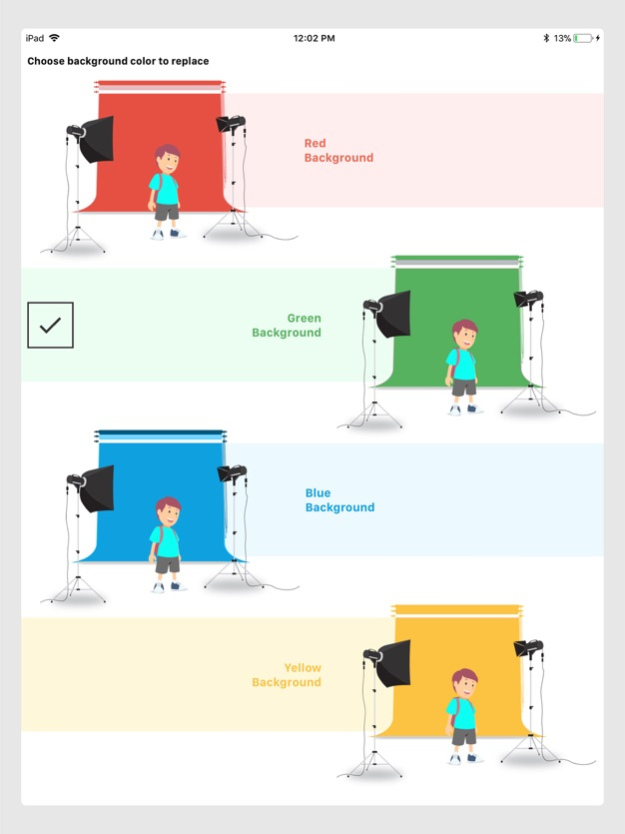
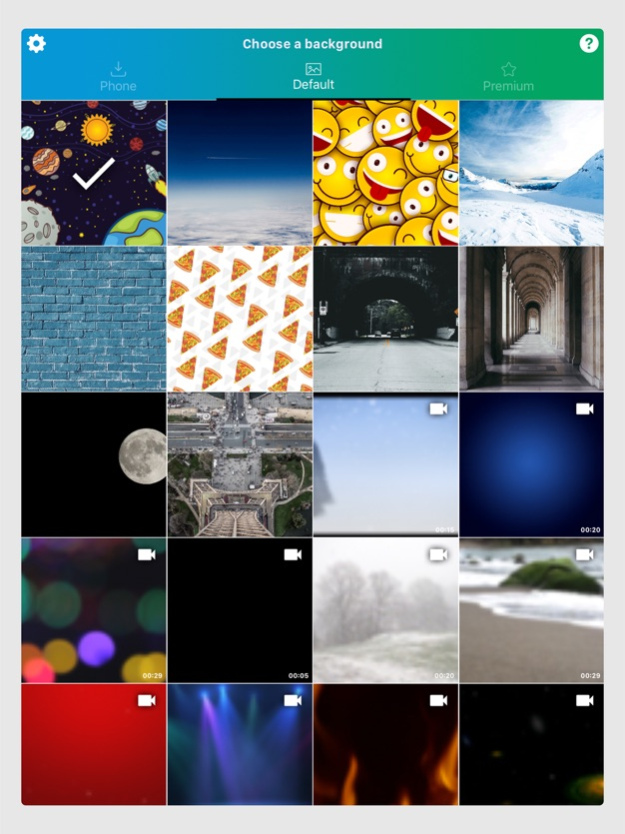
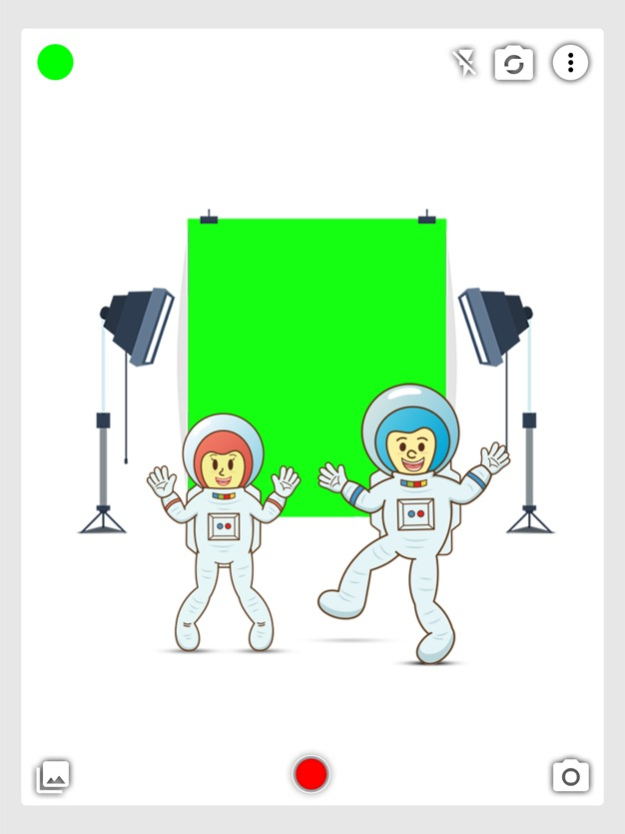
Introducing Chromavid - The best green screen chroma key app to shoot awesome videos and photos using chroma key effects in real time just like they do it in Movies and TV shows.
Steps to create an awesome Chroma key video or photo:
Choose the chroma color (Background wall / Curtain). It can be blue, green, yellow or red. Make sure it's plain color.
Select the background image or video you wish to replace instead of chroma color in background.
That’s it ! The Background Chroma color will be replaced with the photo or video you selected in the Camera. You can take a photo or record a video.
Go ahead , be creative and try out with different background available in the app, you can also you any image in your phone as background.
Share your creations with your friends on various social media platforms. You can even save your Chromavid on your device storage.
Hope you enjoy using Chromavid. Please rate us on Appstore if you love us. Tag us on Social media.
Version History What’s New in Chromavid
Chromavid is now completely free.
You can use the camera, editing tools, visual effects, and chroma key features without a subscription. I wanted everyone to have access to the full creative experience.
New app version also brings a redesigned app and more ways to edit your photos and videos.
• A completely redesigned app
Chromavid has a cleaner look and simpler navigation. Your favorite tools are easier to find, so you can spend less time looking through menus and more time creating.
• New editing modes
You have more control over the way your edits look. Try different modes, combine adjustments, and experiment until you get the result you want.
• More background controls
Change, replace, or customize your background with greater flexibility. It’s easier to create cleaner compositions and make your subject stand out.
• Improved chroma key controls
New tolerance and edge-softness controls give you more precise background removal and smoother edges.
• New lighting controls: Adjust the amount of light, choose from different light types, and change how lighting affects your image. You can create a softer look, add contrast, or try something completely different.
• More creative effects
Combine effects, backgrounds, lighting, and editing tools to create photos and videos that feel unique to you.
• A better camera-to-editing experience: Take a photo or video in Chromavid and start editing immediately. Try different effects and backgrounds without interrupting your creative process.
• A smoother overall experience: I also made improvements throughout the app to make editing feel faster, clearer, and easier.
The update combines a new design, more editing control, improved chroma key tools, and free access to the full Chromavid experience.
Whether you enjoy creating camera effects, editing videos, experimenting with chroma key, or simply improving your photos, there’s more to explore in Chromavid.
Thank you for using Chromavid and supporting its journey. Open the latest version and take a look around. 5.0 Oct 9 - Stability Update and minor improvements
- Please make sure to update the app to continue receiving important notifications. 4.6 03/20/2023 Stability update and bug fix :
Fixed an issue for iPad users where video used to get squished for certain iPad devices. 4.5 09/20/2022 - Stability update
- Minor bug fixes 4.4 07/06/2022 - Stability Update
- Minor improvements 4.3 02/22/2021 -Important update-
- Fixed issue for iOS 14 where some users were facing crash in Gallery
-Stability Update 4.2 09/24/2020 -iOS 13 Stability Update
-Minor bug Fixes 4.1 12/19/2019 We continuously work towards making improvement of app performance and stability. This Update consists of:
- Stability update
As an introductory offer, you can now subscribe to Chromavid for just $2.99 / YEAR to get:
- Unlimited Recording time
- No Chromavid Logo
- Free Premium Pack 4.0 06/21/2019 We constantly work to keep our app updated for Stability and fixes.
-Stability update 3.14 06/09/2019 - Stability Update
- Minor Bug fixes 3.13 02/24/2019 - Important update for fixing a bug which caused free images to not load
- Stability Update
- Minor Bug fixes 3.12 12/29/2018 Important Update
- Added support for app to run on new iphones XS, XSMAX and XR and newer iPads.
- Stability update. 3.11 10/14/2018 - Increased recording time from 30 seconds to 1 Minute.
- Stability Update 3.10 09/28/2018 - Stability Update 3.9 09/11/2018 - Stability Update
- Code fixes
- Image cropping feature 3.8 09/09/2018 - Stability and enhancements updates 3.7 09/06/2018 - Code Optimization and stability 3.6 08/06/2018 - Fixed a bug which didn’t allow to skip tutorial
- Code optimization and stability update 3.5 06/21/2018 - Code optimization and Stability update 3.4 06/15/2018 The all new refactored design, UI and many fixes making the app much lighter and easier to use.
Introducing default and premium packs for background images and videos. 3.3 04/19/2018 The all new refactored design, UI and many fixes making the app much lighter and easier to use.
Introducing default and premium packs for background images and videos. 3.2 04/11/2018 The all new refactored design, UI and many fixes making the app much lighter and easier to use.
Introducing default and premium packs for background images and videos. 3.1 03/25/2018 The all new refactored design, UI and many fixes making the app much lighter and easier to use.
Introducing default and premium packs for background images and videos. 3.0 03/24/2018 - Update for iPhone X UI
- Bug fixes. 2.11 12/21/2017 - Bug Fixes 2.10 11/21/2017
About Chromavid
The company that develops Chromavid is Noam Koren. The latest version released by its developer is 5.0.
To install Chromavid on your iOS device, just click the green Continue To App button above to start the installation process. The app is listed on our website since 2026-10-16 and was downloaded 0 times. We have already checked if the download link is safe, however for your own protection we recommend that you scan the downloaded app with your antivirus. Your antivirus may detect the Chromavid as malware if the download link is broken.
How to install Chromavid on your iOS device:
- Click on the Continue To App button on our website. This will redirect you to the App Store.
- Once the Chromavid is shown in the iTunes listing of your iOS device, you can start its download and installation. Tap on the GET button to the right of the app to start downloading it.
- If you are not logged-in the iOS appstore app, you'll be prompted for your your Apple ID and/or password.
- After Chromavid is downloaded, you'll see an INSTALL button to the right. Tap on it to start the actual installation of the iOS app.
- Once installation is finished you can tap on the OPEN button to start it. Its icon will also be added to your device home screen.
Program Details
System requirements
Download information
Pricing
Version History
version 5.0
posted on 2026-10-16
Version History What’s New in Chromavid
Chromavid is now completely free.
You can use the camera, editing tools, visual effects, and chroma key features without a subscription. I wanted everyone to have access to the full creative experience.
New app version also brings a redesigned app and more ways to edit your photos and videos.
• A completely redesigned app
Chromavid has a cleaner look and simpler navigation. Your favorite tools are easier to find, so you can spend less time looking through menus and more time creating.
• New editing modes
You have more control over the way your edits look. Try different modes, combine adjustments, and experiment until you get the result you want.
• More background controls
Change, replace, or customize your background with greater flexibility. It’s easier to create cleaner compositions and make your subject stand out.
• Improved chroma key controls
New tolerance and edge-softness controls give you more precise background removal and smoother edges.
• New lighting controls: Adjust the amount of light, choose from different light types, and change how lighting affects your image. You can create a softer look, add contrast, or try something completely different.
• More creative effects
Combine effects, backgrounds, lighting, and editing tools to create photos and videos that feel unique to you.
• A better camera-to-editing experience: Take a photo or video in Chromavid and start editing immediately. Try different effects and backgrounds without interrupting your creative process.
• A smoother overall experience: I also made improvements throughout the app to make editing feel faster, clearer, and easier.
The update combines a new design, more editing control, improved chroma key tools, and free access to the full Chromavid experience.
Whether you enjoy creating camera effects, editing videos, experimenting with chroma key, or simply improving your photos, there’s more to explore in Chromavid.
Thank you for using Chromavid and supporting its journey. Open the latest version and take a look around. 5.0 Oct 9 - Stability Update and minor improvements
- Please make sure to update the app to continue receiving important notifications. 4.6 03/20/2023 Stability update and bug fix :
Fixed an issue for iPad users where video used to get squished for certain iPad devices. 4.5 09/20/2022 - Stability update
- Minor bug fixes 4.4 07/06/2022 - Stability Update
- Minor improvements 4.3 02/22/2021 -Important update-
- Fixed issue for iOS 14 where some users were facing crash in Gallery
-Stability Update 4.2 09/24/2020 -iOS 13 Stability Update
-Minor bug Fixes 4.1 12/19/2019 We continuously work towards making improvement of app performance and stability. This Update consists of:
- Stability update
As an introductory offer, you can now subscribe to Chromavid for just $2.99 / YEAR to get:
- Unlimited Recording time
- No Chromavid Logo
- Free Premium Pack 4.0 06/21/2019 We constantly work to keep our app updated for Stability and fixes.
-Stability update 3.14 06/09/2019 - Stability Update
- Minor Bug fixes 3.13 02/24/2019 - Important update for fixing a bug which caused free images to not load
- Stability Update
- Minor Bug fixes 3.12 12/29/2018 Important Update
- Added support for app to run on new iphones XS, XSMAX and XR and newer iPads.
- Stability update. 3.11 10/14/2018 - Increased recording time from 30 seconds to 1 Minute.
- Stability Update 3.10 09/28/2018 - Stability Update 3.9 09/11/2018 - Stability Update
- Code fixes
- Image cropping feature 3.8 09/09/2018 - Stability and enhancements updates 3.7 09/06/2018 - Code Optimization and stability 3.6 08/06/2018 - Fixed a bug which didn’t allow to skip tutorial
- Code optimization and stability update 3.5 06/21/2018 - Code optimization and Stability update 3.4 06/15/2018 The all new refactored design, UI and many fixes making the app much lighter and easier to use.
Introducing default and premium packs for background images and videos. 3.3 04/19/2018 The all new refactored design, UI and many fixes making the app much lighter and easier to use.
Introducing default and premium packs for background images and videos. 3.2 04/11/2018 The all new refactored design, UI and many fixes making the app much lighter and easier to use.
Introducing default and premium packs for background images and videos. 3.1 03/25/2018 The all new refactored design, UI and many fixes making the app much lighter and easier to use.
Introducing default and premium packs for background images and videos. 3.0 03/24/2018 - Update for iPhone X UI
- Bug fixes. 2.11 12/21/2017 - Bug Fixes 2.10 11/21/2017
version 5.0
posted on 2026-10-09
Version History What’s New in Chromavid
Chromavid is now completely free.
You can use the camera, editing tools, visual effects, and chroma key features without a subscription. I wanted everyone to have access to the full creative experience.
New app version also brings a redesigned app and more ways to edit your photos and videos.
• A completely redesigned app
Chromavid has a cleaner look and simpler navigation. Your favorite tools are easier to find, so you can spend less time looking through menus and more time creating.
• New editing modes
You have more control over the way your edits look. Try different modes, combine adjustments, and experiment until you get the result you want.
• More background controls
Change, replace, or customize your background with greater flexibility. It’s easier to create cleaner compositions and make your subject stand out.
• Improved chroma key controls
New tolerance and edge-softness controls give you more precise background removal and smoother edges.
• New lighting controls: Adjust the amount of light, choose from different light types, and change how lighting affects your image. You can create a softer look, add contrast, or try something completely different.
• More creative effects
Combine effects, backgrounds, lighting, and editing tools to create photos and videos that feel unique to you.
• A better camera-to-editing experience: Take a photo or video in Chromavid and start editing immediately. Try different effects and backgrounds without interrupting your creative process.
• A smoother overall experience: I also made improvements throughout the app to make editing feel faster, clearer, and easier.
The update combines a new design, more editing control, improved chroma key tools, and free access to the full Chromavid experience.
Whether you enjoy creating camera effects, editing videos, experimenting with chroma key, or simply improving your photos, there’s more to explore in Chromavid.
Thank you for using Chromavid and supporting its journey. Open the latest version and take a look around. 5.0 11h ago - Stability Update and minor improvements
- Please make sure to update the app to continue receiving important notifications. 4.6 03/20/2023 Stability update and bug fix :
Fixed an issue for iPad users where video used to get squished for certain iPad devices. 4.5 09/20/2022 - Stability update
- Minor bug fixes 4.4 07/06/2022 - Stability Update
- Minor improvements 4.3 02/22/2021 -Important update-
- Fixed issue for iOS 14 where some users were facing crash in Gallery
-Stability Update 4.2 09/24/2020 -iOS 13 Stability Update
-Minor bug Fixes 4.1 12/19/2019 We continuously work towards making improvement of app performance and stability. This Update consists of:
- Stability update
As an introductory offer, you can now subscribe to Chromavid for just $2.99 / YEAR to get:
- Unlimited Recording time
- No Chromavid Logo
- Free Premium Pack 4.0 06/21/2019 We constantly work to keep our app updated for Stability and fixes.
-Stability update 3.14 06/09/2019 - Stability Update
- Minor Bug fixes 3.13 02/24/2019 - Important update for fixing a bug which caused free images to not load
- Stability Update
- Minor Bug fixes 3.12 12/29/2018 Important Update
- Added support for app to run on new iphones XS, XSMAX and XR and newer iPads.
- Stability update. 3.11 10/14/2018 - Increased recording time from 30 seconds to 1 Minute.
- Stability Update 3.10 09/28/2018 - Stability Update 3.9 09/11/2018 - Stability Update
- Code fixes
- Image cropping feature 3.8 09/09/2018 - Stability and enhancements updates 3.7 09/06/2018 - Code Optimization and stability 3.6 08/06/2018 - Fixed a bug which didn’t allow to skip tutorial
- Code optimization and stability update 3.5 06/21/2018 - Code optimization and Stability update 3.4 06/15/2018 The all new refactored design, UI and many fixes making the app much lighter and easier to use.
Introducing default and premium packs for background images and videos. 3.3 04/19/2018 The all new refactored design, UI and many fixes making the app much lighter and easier to use.
Introducing default and premium packs for background images and videos. 3.2 04/11/2018 The all new refactored design, UI and many fixes making the app much lighter and easier to use.
Introducing default and premium packs for background images and videos. 3.1 03/25/2018 The all new refactored design, UI and many fixes making the app much lighter and easier to use.
Introducing default and premium packs for background images and videos. 3.0 03/24/2018 - Update for iPhone X UI
- Bug fixes. 2.11 12/21/2017 - Bug Fixes 2.10 11/21/2017
version 4.6
posted on 2023-03-20
Mar 20, 2023
Version 4.6
- Stability Update and minor improvements
- Please make sure to update the app to continue receiving important notifications.
version 4.4
posted on 2022-07-06
Jul 6, 2022 Version 4.4
- Stability update
- Minor bug fixes
version 4.3
posted on 2021-02-22
Feb 22, 2021 Version 4.3
- Stability Update
- Minor improvements
version 4.2
posted on 2020-09-24
24 Sep 2020 Version 4.2
-Important update-
- Fixed issue for iOS 14 where some users were facing crash in Gallery
-Stability Update
version 4.2
posted on 2020-09-24
Sep 24, 2020 Version 4.2
-Important update-
- Fixed issue for iOS 14 where some users were facing crash in Gallery
-Stability Update
version 4.1
posted on 2019-12-19
Dec 19, 2019 Version 4.1
-iOS 13 Stability Update
-Minor bug Fixes
version 4.1
posted on 2019-12-19
19 Dec 2019 Version 4.1
-iOS 13 Stability Update
-Minor bug Fixes
version 2.8
posted on 2015-08-10
Disclaimer
Official App Store Link
We do not host Chromavid on our servers. We did not scan it for viruses, adware, spyware or other type of malware. This app is hosted by Apple and passed their terms and conditions to be listed there. We recommend caution when installing it.
The App Store link for Chromavid is provided to you by apps112.com without any warranties, representations or guarantees of any kind, so access it at your own risk.
If you have questions regarding this particular app contact the publisher directly. For questions about the functionalities of apps112.com contact us.
